

Current Community


Lesson Complete
Lesson Parts Remaining

Unblock Ublock origin on Chrome


Ublock Origin
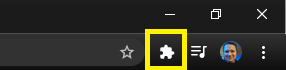
If you use Ublock Origin, you can unblock it on Blickel to support us for free. First, click the addon button on the top right of your browser window.

View Larger Image
Ublock Origin
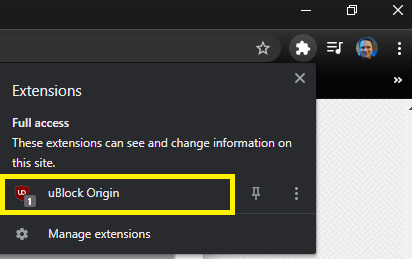
Now, click the Ublock Origin add on. You may have more than one add on so just look for the one that says Ublock Origin.
View Larger Image
Power off
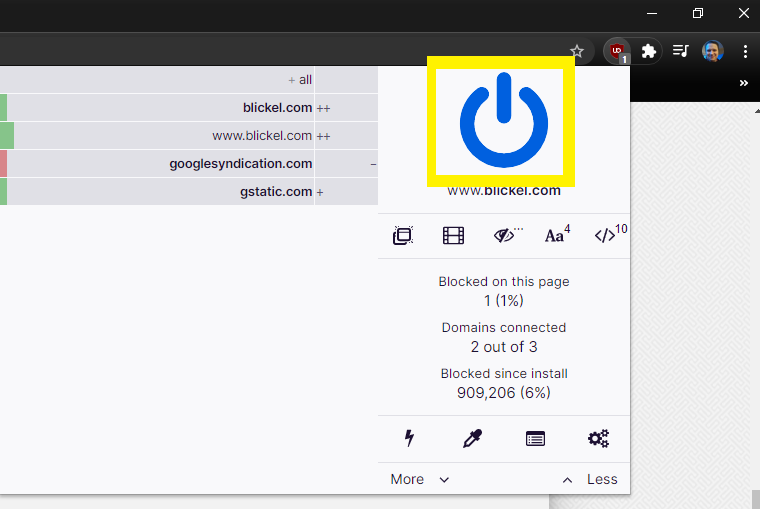
Next, click the blue on/off switch. This will allow ads only on Blickel which supports us! If the switch is not blue, then that means Ublock is already off and you do not need to do anything and can stop here.
View Larger Image
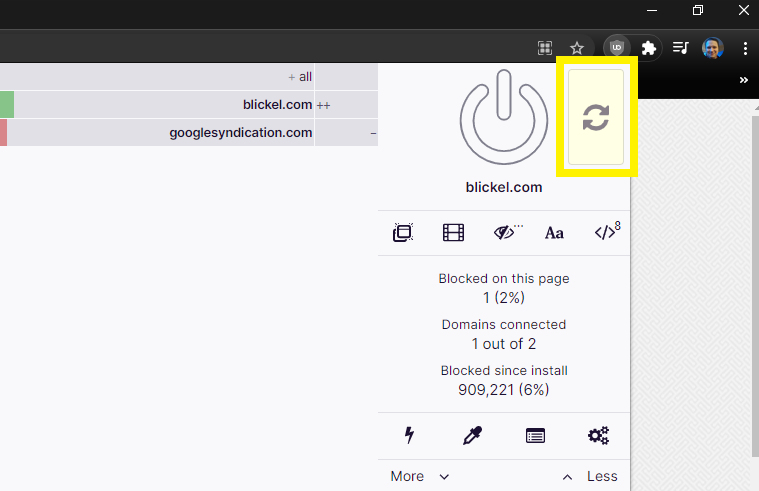
Refresh
Finally, click the yellow refresh button to refresh the page.
View Larger Image
Thank You
Thank you for supporting Blickel. We know there are too many invasive ads on the internet, our aim is to find ways to show you ads that are not intrusive so that you can use Blickel for free. Your support means the world to us.
View Larger Image


Comments
Post
Submitting Comment


Go to Top

Page Settings


Finish Lesson


Please do not put lesson answers in the comments
Repeated rule violations may cause you to be banned from making comments.